How search traffic
actually works.Search traffic comes from a few parts working together: pages that answer the search, a site structure that points to them, other sites that vouch for them, and a way to see what changed. Each Pulse watches one part and passes what it finds to the next.
Search traffic, in five parts.
Rankings are not one number you fix in one place. A page earns traffic when its content matches the search, your own site points to it, other sites vouch for it, and nothing technical gets in the way. Then you check what changed, and fix the next thing.
Pages that answer the search, and stay fresh
Search engines send traffic to the page that best answers a search. Pages drift: stats age, competitors publish newer guides, and the words people search for change. A page that ranked last year can slide without anything breaking.
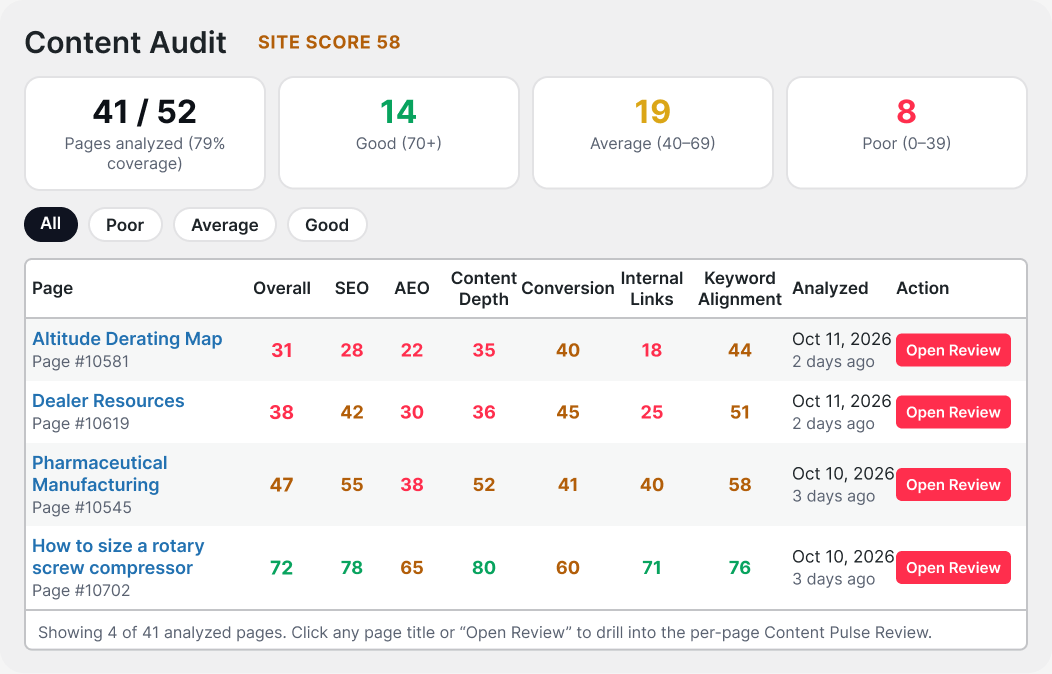
A structure that sends authority where it matters
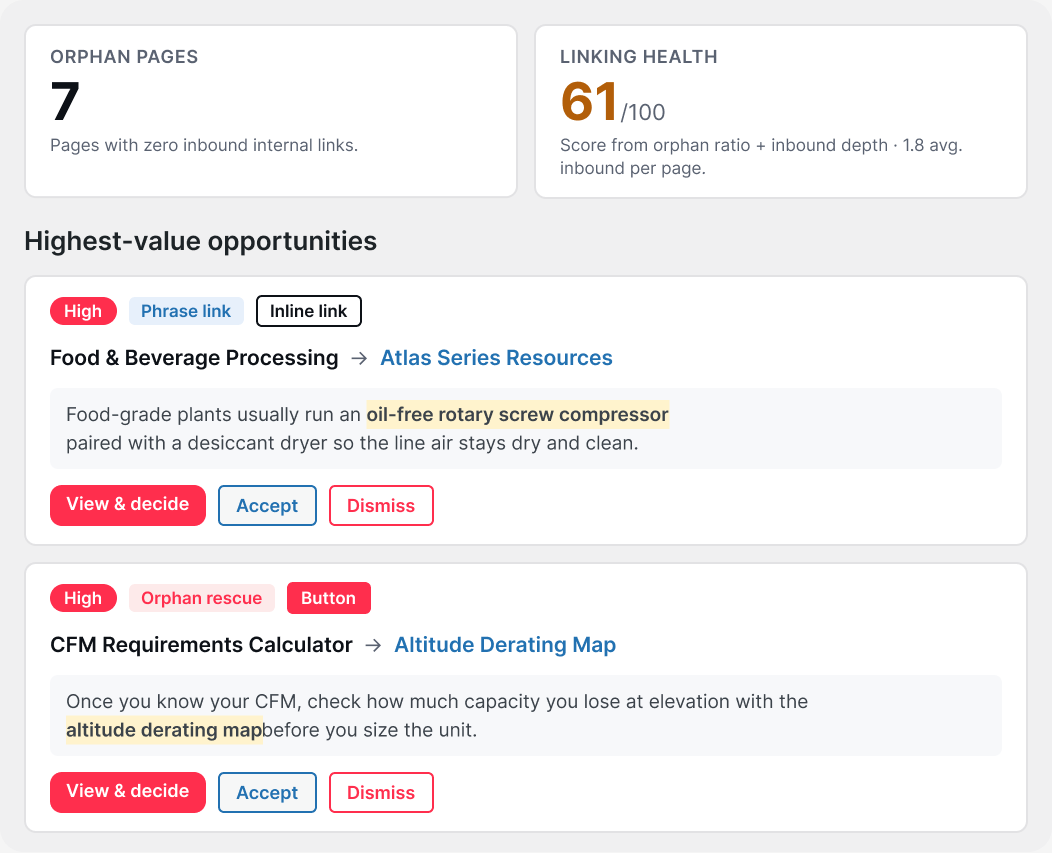
Every internal link passes some of a page’s authority to the page it points to. Pages with no links pointing at them, called orphans, are hard for search engines to find and rarely rank. Your strongest pages should link to the pages you want to grow.
Other sites that vouch for you
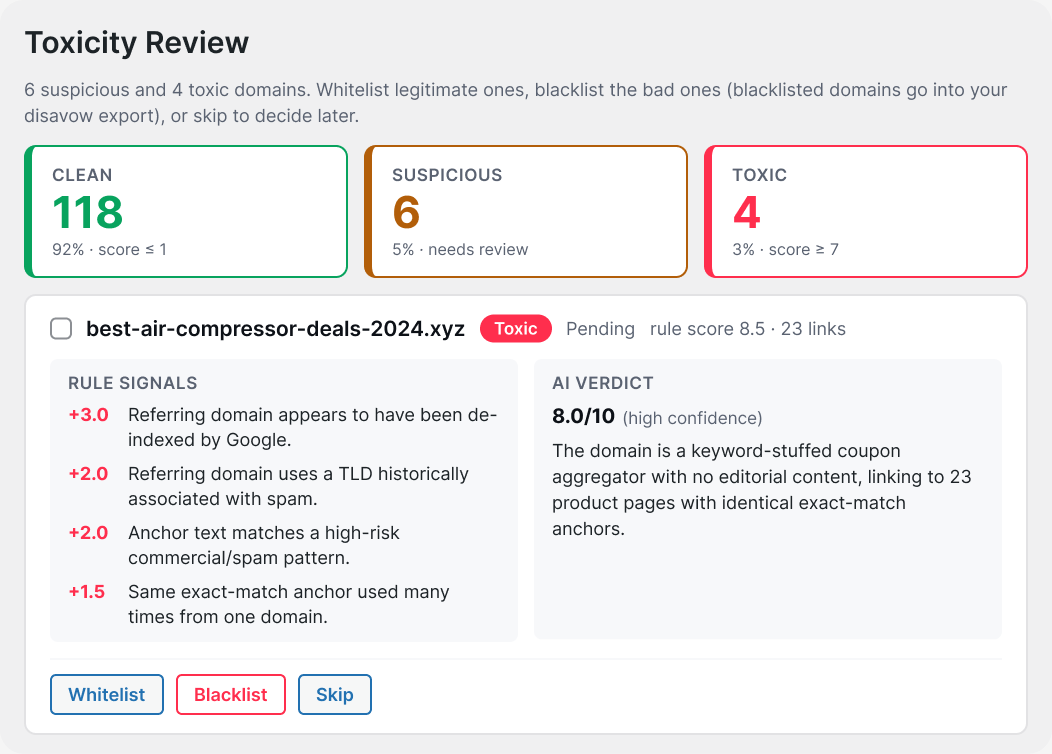
A link from another site works like a vote of confidence, and search engines weigh those votes when they decide which page to trust. Not every vote helps: spammy directories, link farms and off topic sitewide links can drag a site down, and nobody tells you they are there.
Knowing what changed, and why
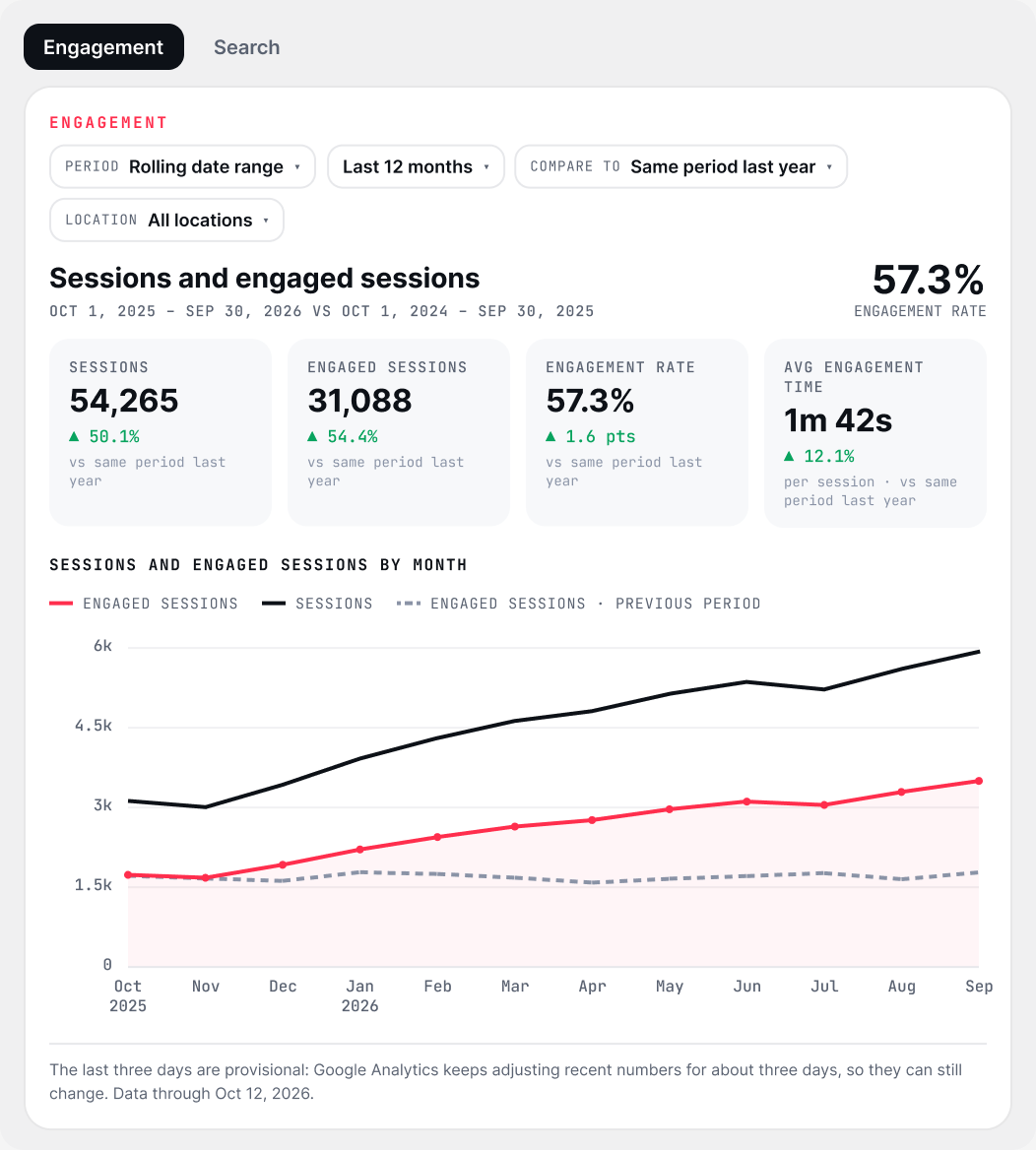
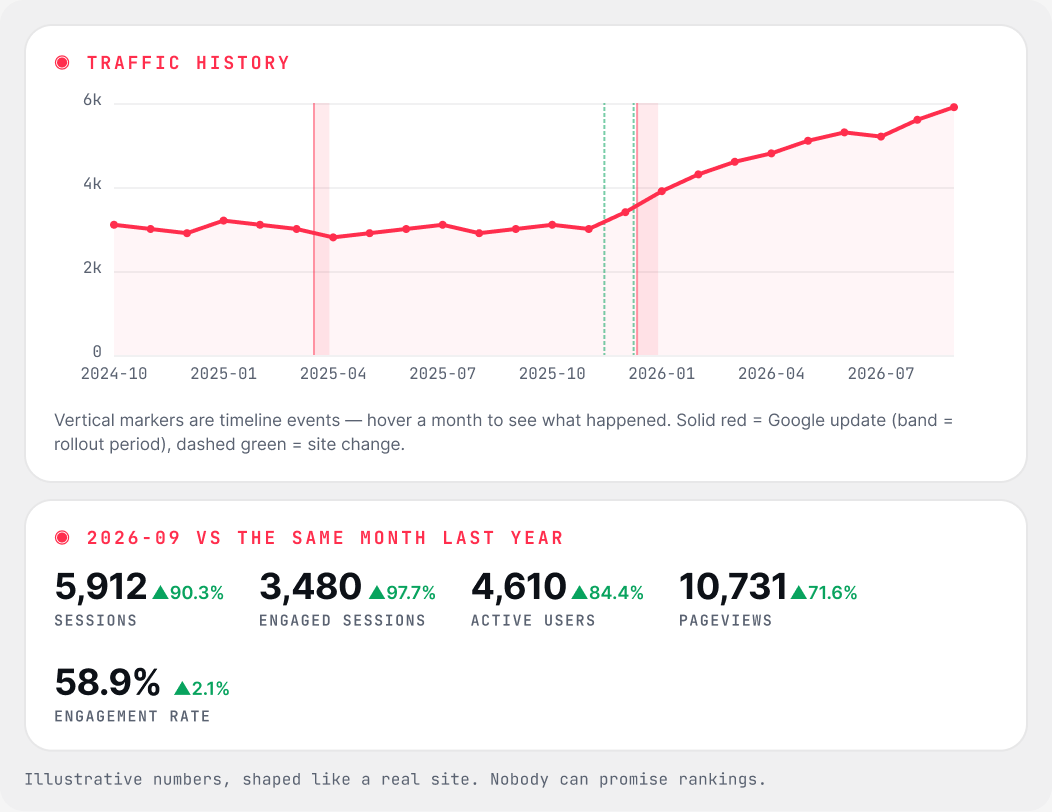
Traffic moves for many reasons: a refresh, a new link, a search update, a holiday. Without dates on the chart, you cannot tell which fix worked. Google Analytics also only keeps about 14 months of detail, so last year’s comparison quietly disappears.
Nothing technical in the way
Before content or links count, search engines have to reach a page, render it and load it quickly. Crawl errors and slow pages quietly cap everything else on this list.
Each fix feeds the next.
The parts of search traffic depend on each other, so the Pulses pass the work along. A refreshed page needs links pointing at it. Outside links show which pages already carry weight. And every change belongs on the chart, so the next fix is based on what actually moved.
Find the page
Flags a page that is losing ground, or a keyword gap worth filling, and builds the Refresh Plan.
Send authority to it
Suggests internal links to that page from the pages with the most internal authority, with the words to link and the HTML to paste.
Check outside votes
Shows which sites link to you and which of those links are clean, suspicious or toxic, so the authority you count on is real.
See what moved
Marks the day each change shipped on a GA4 and Search Console timeline, so you can see whether traffic moved.
Follow one page through the loop.
A guide that used to rank starts to slip. Here is how the Pulses would handle it, step by step. The numbers are illustrative, to show the shape of the work. They are not a real result, and nobody can promise rankings.
/guides/email-deliverability scores 41 overall: thin answer blocks, three outdated stats, a keyword it shares with another page. Content Pulse builds the Refresh Plan, and you update the page.
Link Pulse suggests three internal links to the guide from your strongest pages, with the anchor text and the HTML. You paste them in and publish.
Backlink Pulse flags a spammy directory with sitewide links to the guide. You blacklist it, export the disavow file and upload it in Search Console.
Each change sits on the timeline on the day it shipped. Clicks rise after the refresh and the new links, so the next fix starts from evidence.
Which Pulse do I need first?
Start with Content Pulse. It is the base of the suite: Link Pulse, Backlink Pulse and Traffic Pulse run inside it and use the Google connection and AI provider you set up there. Then add the Pulse that matches the warning signs you see.
A task manager inside WordPress, from the team behind the Pulses. Sold on its own: it is not a Pulse and is not part of the Pulse Suite.
SOLD SEPARATELYSee what we would queue to fix.
Join the early access list. Install the free version when it opens, run a full site check, and judge the Refresh Plans for yourself.
Get early access →